¶ What Is a Flow?
- A flow is the powerful engine that drives your AI roleplay sessions.
- Think of it as the central nervous system of your interactive experience - a carefully orchestrated sequence of connected nodes that work together step-by-step to create dynamic, intelligent responses during your roleplay sessions.
¶ The Game System Analogy
- Remember how we compared astrsk to a video game? In this analogy:
- Flow = The game system (the rules and logic that make everything work)
- Cards = Your playable characters (the personas you interact with)
- Session = The game screen (where you actually play and see everything happen)
- Just like a game system dictates how a game operates, manages rules, and creates experiences, a flow powers your AI-driven roleplay by managing logic, processing information, and generating responses.
¶ How Flows Work
- For a flow to function properly, it must have a clear path from beginning to end: Start Node → One or More Agent Nodes → End Node
- This sequential connection ensures that information flows logically from input to output, building context and generating meaningful responses along the way.
¶ Basic Components of a Flow
- Every flow consists of three fundamental elements that work together to create your roleplay experience:
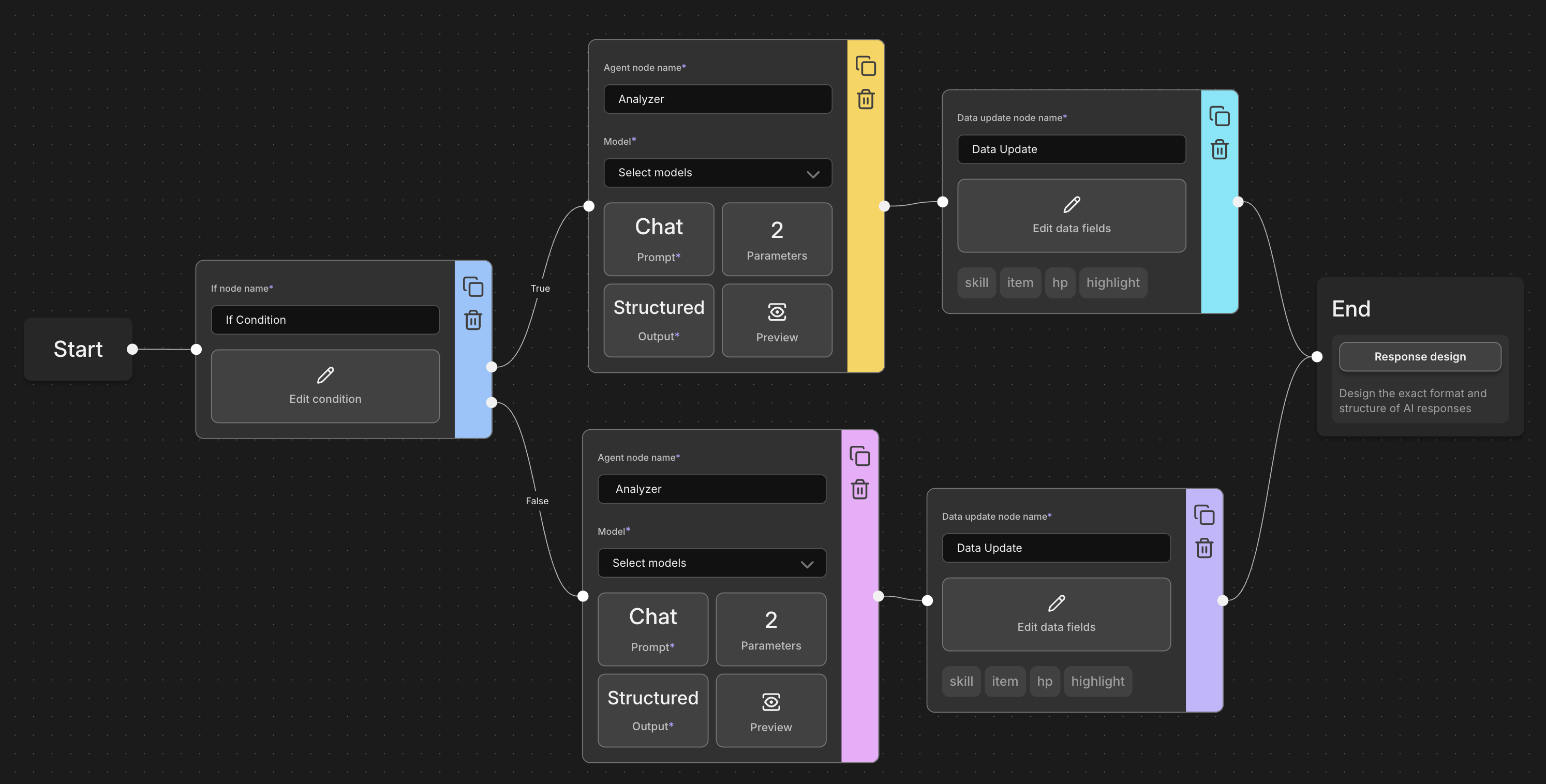
¶ 1. Nodes: The Building Blocks
- Nodes are the individual workstations in your flow's assembly line. While we covered the three main node types (Conditional, Agent, and Data) in our previous guide, let's focus on the essential nodes that every flow needs:
¶ Start Node
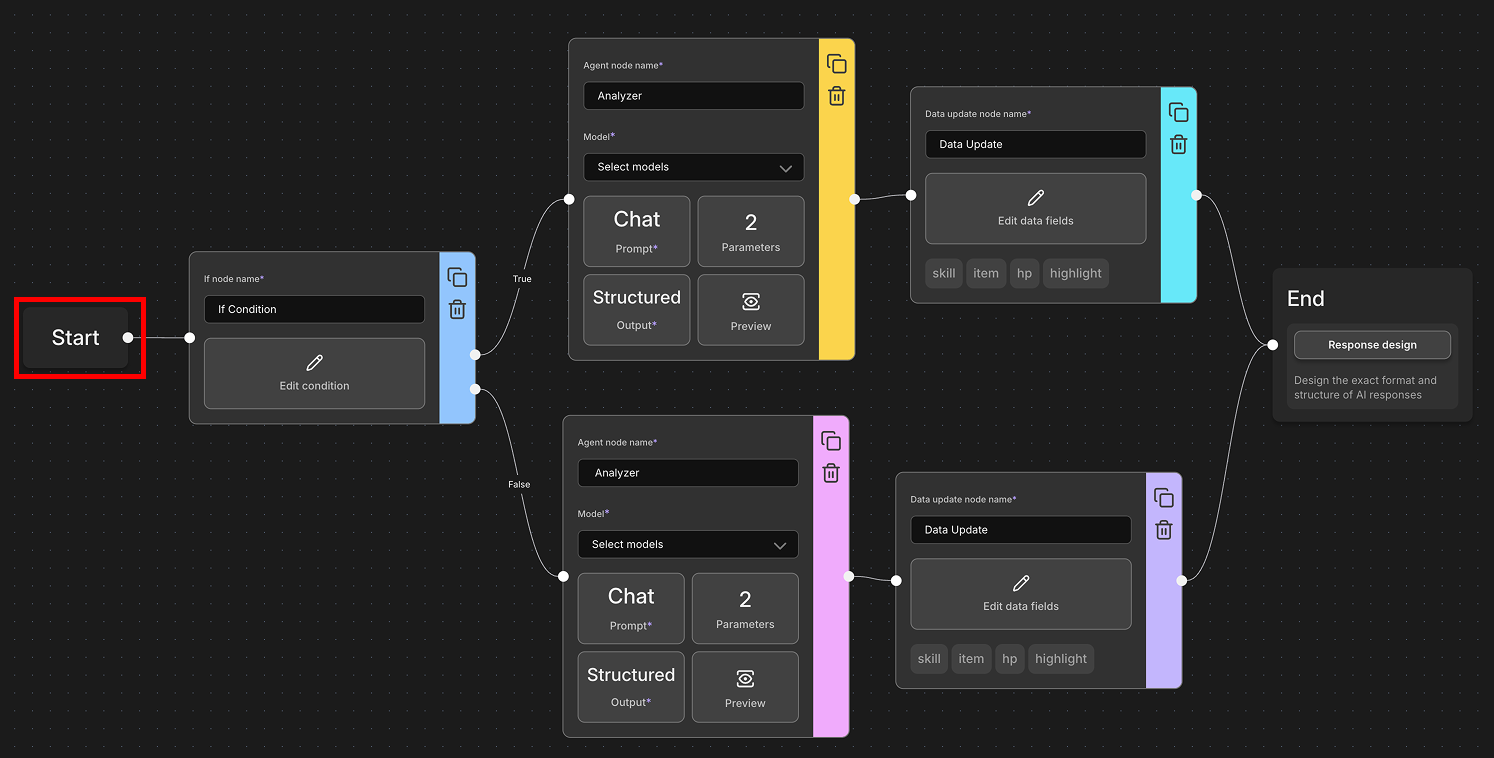
- What It Does: The start node is your flow's launching pad - where every response journey begins.
- How It Works:
- Acts as the entry point when a user interacts with your session
- Triggers the entire flow sequence
- Passes initial context to the next node in line
- Think of It As: The "Start" button on a machine that sets everything in motion.
¶ Agent Node
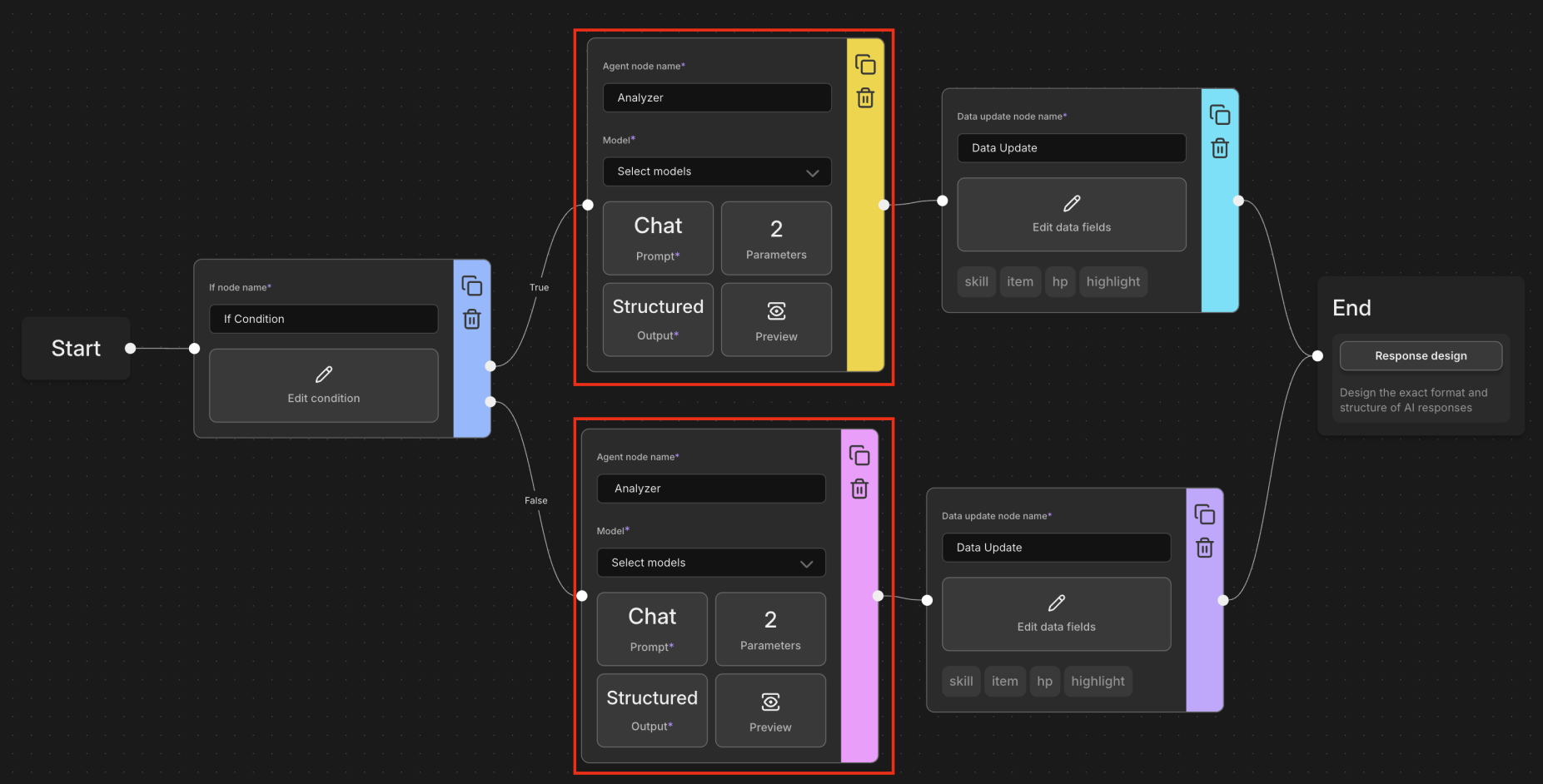
- What It Does: Agent nodes are where the AI magic happens - they call upon AI models to analyze, think, and generate content.
- Key Responsibilities:
- Input Analysis: Understanding what the user said or did
- Narrative Generation: Creating story content, descriptions, or dialogue
- Character Simulation: Acting as different characters or personas
- Context Processing: Making sense of the current situation
- Flexibility: Each agent node can take on different roles depending on your setup and the AI model you choose. You might have one agent focused on character dialogue and another handling narrative description.
- Real-World Example:
- Agent 1 might analyze the user's input: "I want to explore the mysterious cave"
- Agent 2 might generate the character's response: "The wise dwarf strokes his beard and warns, 'That cave holds ancient secrets, young adventurer...'"
¶ Conditional Node
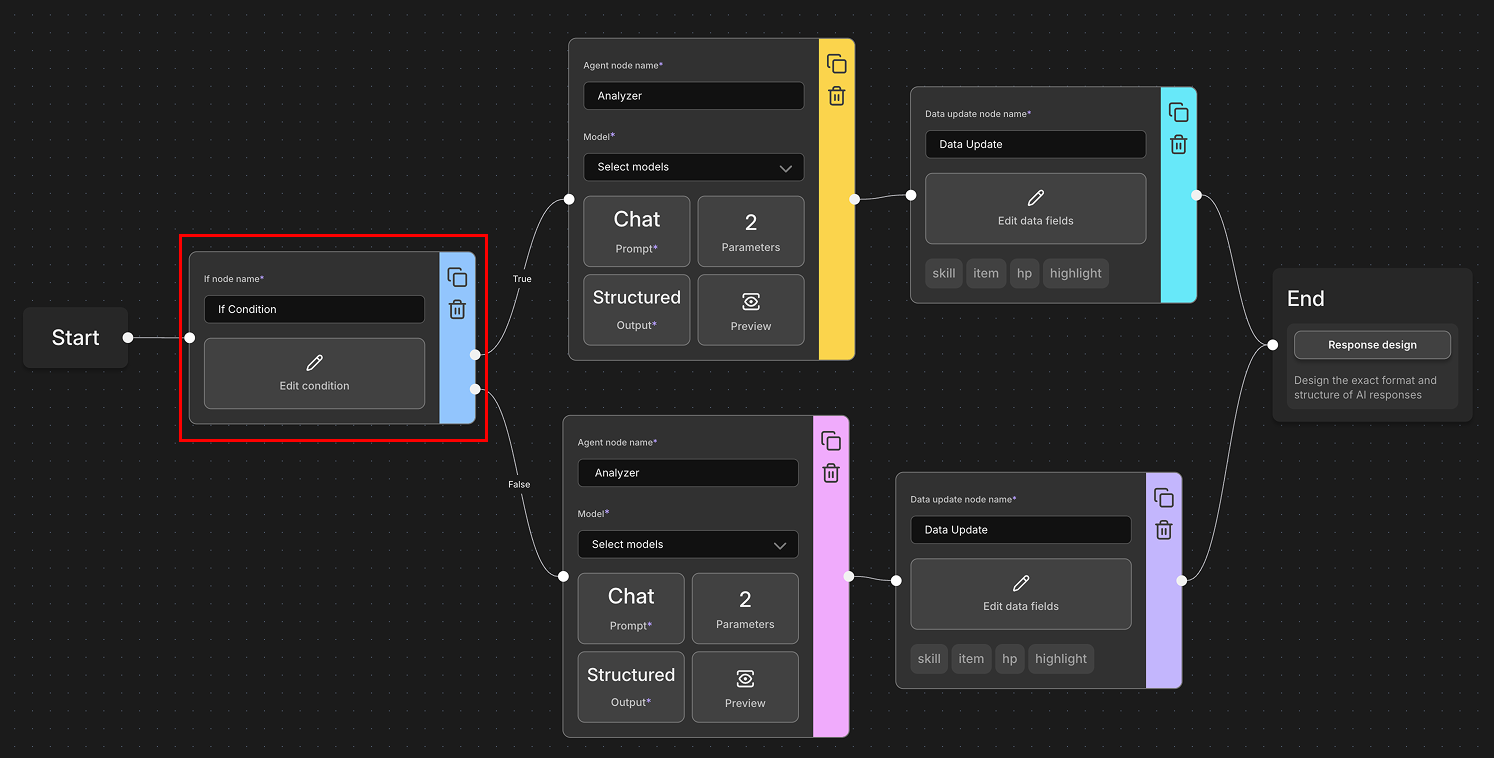
- What It Does: Conditional nodes act as the "decision makers" or "traffic controllers" of your flow, creating branching paths based on logic you define.
- How They Work:
- Evaluate conditions using logic statements (like "if this, then that")
- Direct the flow to different paths based on whether conditions are true or false
- Create multiple possible routes through your flow
- Allow for dynamic, responsive storytelling that adapts to different situations
- Key Features:
- Logic Evaluation: Check variables, user inputs, or data states
- Branching Paths: Send the flow down different routes based on conditions
- Dynamic Responses: Create adaptive experiences that change based on context
- Real-World Example:
User says: "I attack the dragon!"
Conditional Node checks: Is player_health > 50?
├─ If YES → Route to "Confident Attack" agent
└─ If NO → Route to "Desperate Attack" agent
- Think of It As: A railway junction that automatically switches tracks based on the type of train approaching.
- Common Use Cases:
- Checking character stats before actions
- Creating different story branches based on previous choices
- Implementing game-like mechanics (success/failure paths)
- Adapting dialogue based on relationship levels
- Managing resource systems (enough gold for purchase?)
¶ Data Node
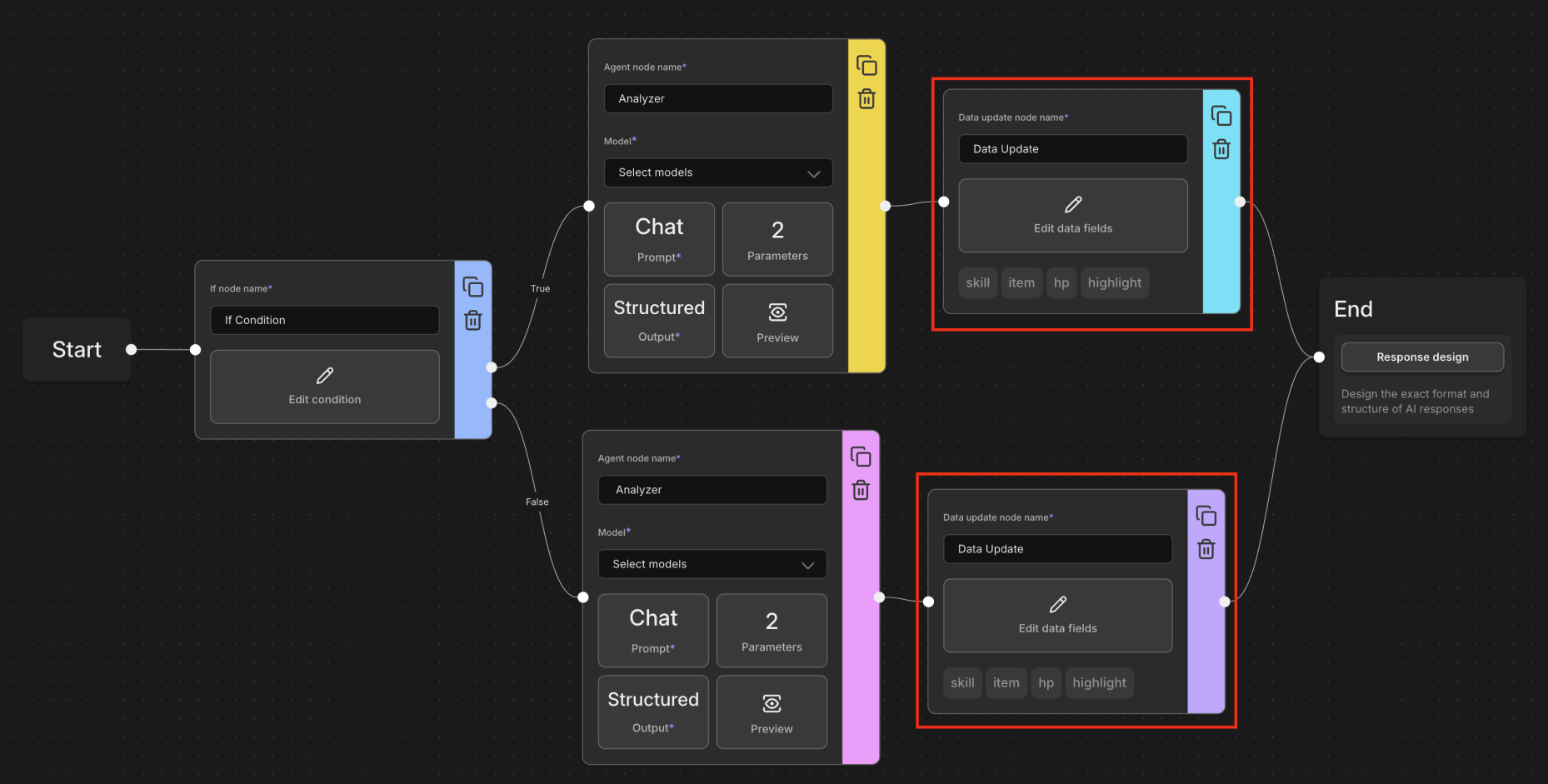
- What It Does: Data nodes handle the mathematical and data management aspects of your flow, performing calculations and updating information that flows through your system.
- How They Work:
- Access and modify data fields that you've defined in your flow
- Perform calculations, updates, or transformations on stored information
- Execute custom logic to maintain and update your flow's state
- Process data that other nodes can then reference and use
- Important Requirement: Data Schema Declaration Before using data nodes, you must first declare your data fields in the Data Schema Panel:
- Define Your Data Fields: Specify what information your flow will track (e.g., "player_health", "story_chapter", "relationship_score")
- Automatic Availability: Once declared, these fields become available in all sessions using your flow
- Persistent Storage: Data persists across the entire session and can be modified by multiple data nodes
- Key Features:
- Data Manipulation: Update, calculate, and transform stored values
- State Management: Keep track of ongoing story elements and character progress
- Cross-Node Communication: Share calculated results with other parts of your flow
- Session Persistence: Maintain data throughout the entire roleplay session
- Real-World Example:
Player completes a quest
Data Node executes:
- player_experience = player_experience + 100
- gold_coins = gold_coins + 50
- quest_completed = true
- relationship_with_npc = relationship_with_npc + 10
- Think of It As: The bookkeeper of your flow - keeping track of numbers, scores, and important information that affects the story.
¶ Common Use Cases:
- Tracking character statistics (health, experience, skills)
- Managing inventory systems (adding/removing items)
- Calculating complex formulas (damage calculations, success rates)
- Updating story progression markers
- Maintaining relationship values between characters
- Creating scoring or point systems
¶ End Node
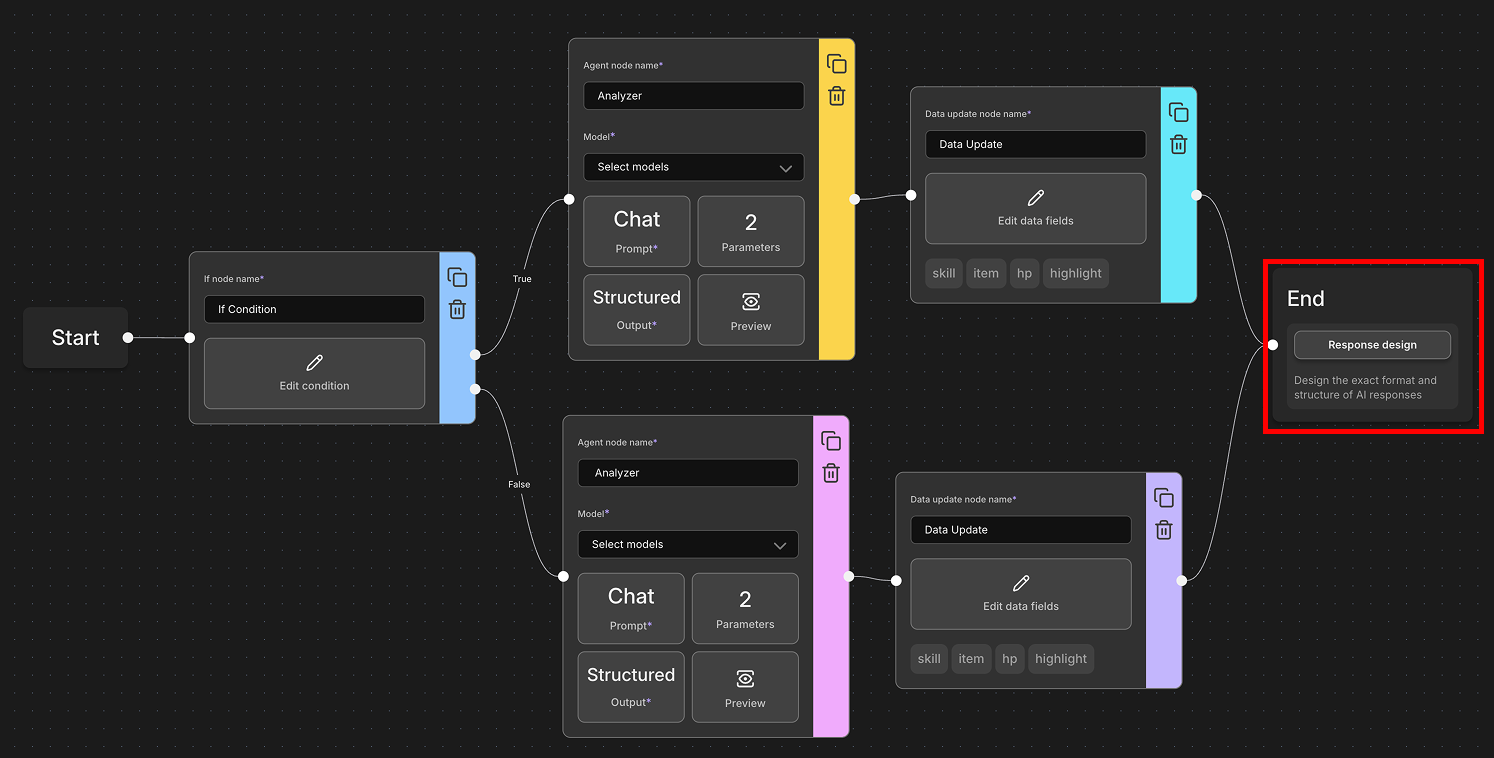
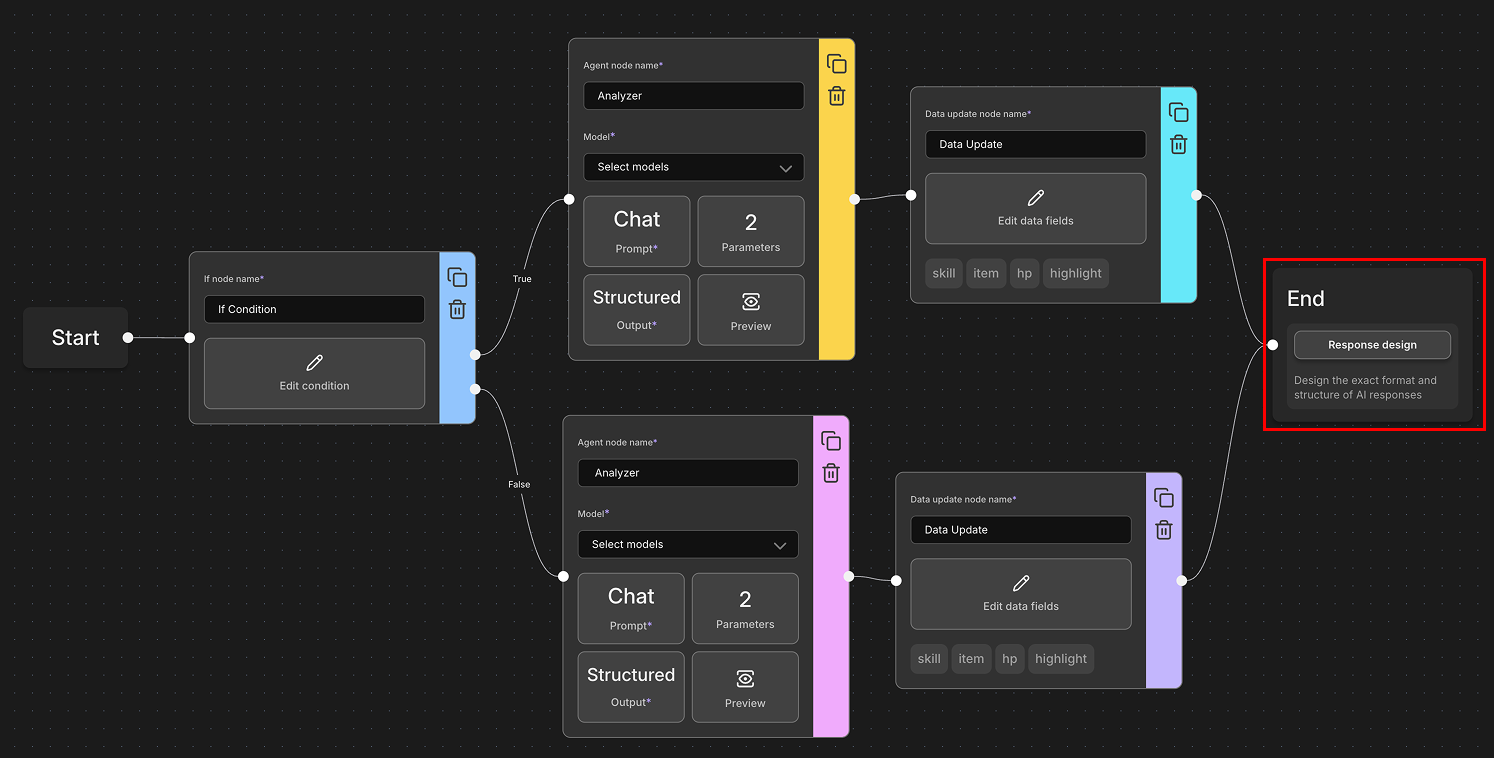
- What It Does: The end node is where your flow concludes and presents the final result to the user.
- Key Features:
- Response Design: This is where you can customize exactly how the AI's response appears in your session
- Formatting Control: Decide how text looks, what gets displayed, and how it's organized
- Final Output: What the user actually sees as the result of the entire flow process
- Think of It As: The display case in a bakery - where all the behind-the-scenes work gets beautifully presented to the customer.
¶ 2. Edges: The Connecting Roads
- What They Are: Edges are the lines that connect nodes together, creating a roadmap for your flow to follow.
- How They Work:
- Define the order in which nodes are executed
- Ensure information flows logically from one step to the next
- Create the sequence that builds context progressively
- Why They Matter: Without properly connected edges, your flow would be like a recipe with steps in random order - the ingredients might be right, but the result would be chaos.
- Visual Example: Each arrow (edge) ensures that the output from one node becomes available to the next node in the sequence.
[Start Node] ──→ [Agent Node 1] ──→ [Agent Node 2] ──→ [End Node]
¶ 3. Variables: The Information Carriers
- Variables are like messenger bags that carry important information between nodes throughout your flow. They allow nodes to share context, data, and generated content with each other.
- How to Use Variables: Variables are referenced using template syntax with curly braces:
{{variable_name}}- This pulls in the value of that variable{{character.name}}- Gets the current character's name{{user.description}}- Retrieves details about the player's character{{session.recent_entries}}- Lists all retrieved character and plot entries
¶ Two Types of Variables:
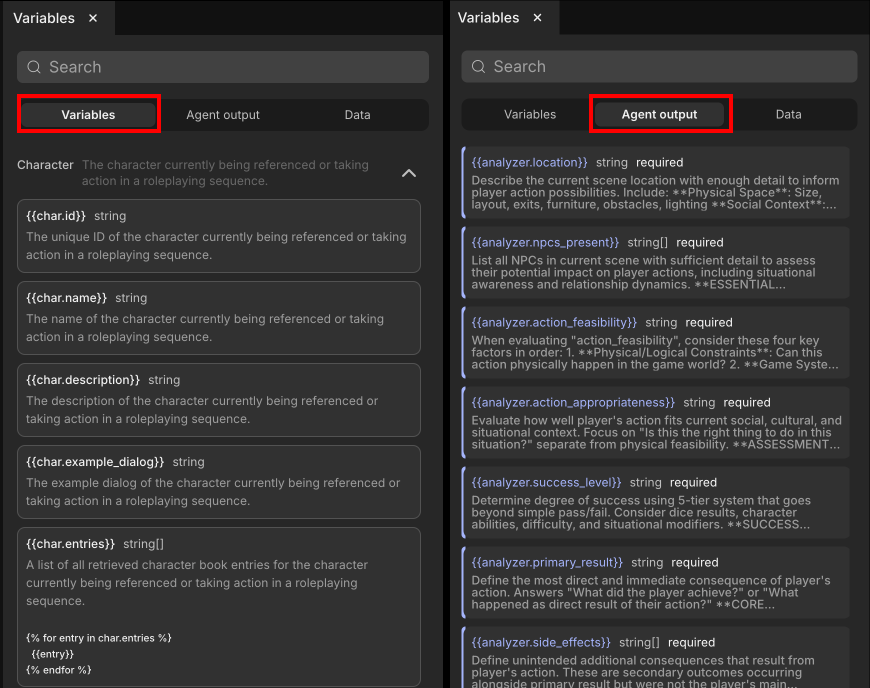
1. System Variables 🔧 These are built-in variables provided by astrsk that you can use in any flow or card:
- Examples:
{{user.name}}- The player's name{{character.personality}}- Current character's personality traits{{session.context}}- Current session context{{timestamp}}- Current date and time
- Think of Them As: Standard tools that come with your toolbox - always available when you need them.
2. Agent Outputs 🤖 These are custom variables created by agent nodes during flow execution:
- How They Work:
- Each agent node generates output based on its processing
- This output becomes a variable that other nodes can use
- You can customize the data type and description for consistency
- Agent outputs can be passed between nodes, allowing them to build on each other's work
- Real-World Example:
- Agent 1 creates
{{user_intent}}= "wants to explore" - Agent 2 uses
{{user_intent}}to generate appropriate character response - Agent 3 might use both previous outputs to update the story context
- Agent 1 creates
¶ Example Flow Walkthrough
- Let's trace through a more comprehensive example that shows how different node types work together:
- The Flow Structure:
[Start] → [Agent 1: Analyzer] → [Data Node: Update Stats] → [Conditional: Check Success]
                                                                    ├─ [Agent 2A: Success Response] → [End]
                                                                    └─ [Agent 2B: Failure Response] → [End]
¶ Step-by-Step Execution:
1. Start Node Activates
- User types: "I want to cast a healing spell on myself"
- Start node receives this input and passes it forward
2. Agent 1: The Analyzer
- Input: Raw user message
- Processing: AI analyzes the user's intent and determines spell requirements
- Output Creates Variables:
{{user_intent}}= "cast_healing_spell"{{spell_type}}= "healing"{{mana_required}}= "20"
3. Data Node: Update Stats
- Input: Uses
{{mana_required}}and checks current{{player_mana}} - Processing: Calculates if spell is possible and updates accordingly
- Logic Execution:
if player_mana >= mana_required: player_mana = player_mana - 20 spell_success = true player_health = player_health + 30else: spell_success = false
- Output Creates Variables:
{{spell_success}}= true/false- Updated
{{player_mana}}and potentially{{player_health}}
4. Conditional Node: Check Success
- Input: Evaluates
{{spell_success}}variable - Logic: IF spell_success == true THEN success path ELSE failure path
- Branching:
- Success Path: Routes to Agent 2A (Success Response)
- Failure Path: Routes to Agent 2B (Failure Response)
5A. Agent 2A: Success Response (if spell worked) ✅
- Input: All previous variables plus success context
- Processing: Generates positive outcome response
- Output:
{{character_response}}= "A warm, golden light surrounds you as the healing magic flows through your body, restoring your vitality."
5B. Agent 2B: Failure Response (if spell failed) ❌
- Input: All previous variables plus failure context
- Processing: Generates failure outcome response
- Output:
{{character_response}}= "You reach deep for magical energy, but find your reserves depleted. The spell fizzles harmlessly."
6. End Node: The Display 🎬
- Input: Final
{{character_response}}from whichever path was taken - Processing: Formats the response using Response Design
- Output: What appears in your session chat, plus updated character stats in UI
¶ The Magic of Context Building
- Notice how each step builds upon the previous one in this comprehensive flow:
- Start node provides raw user input
- Agent 1 creates understanding and extracts key information
- Data node performs calculations and updates persistent game state
- Conditional node makes intelligent decisions based on the current state
- Agent 2A/2B generates contextually appropriate responses based on the path taken
- End node presents the final result with updated information
- This progressive context building, combined with branching logic and persistent data management, creates rich, dynamic experiences that feel responsive and intelligent. The same user action can result in different outcomes based on the character's current state, previous choices, and available resources.
¶ Advanced Flow Possibilities
With all five node types, you can create incredibly sophisticated workflows:
Complex Branching:
[Start] → [Agent: Analyze] → [Data: Check Resources] → [Conditional: Sufficient?]
                                                         ├─ [Data: Deduct Cost] → [Agent: Success] → [End]
                                                         └─ [Conditional: Alternative Available?]
                                                            ├─ [Agent: Suggest Alternative] → [End]
                                                            └─ [Agent: Cannot Proceed] → [End]
- Multi-Stage Processing:
- Multiple agent nodes can specialize in different aspects (dialogue, narration, combat)
- Data nodes can maintain complex scoring systems and character progression
- Conditional nodes can create story branches based on accumulated choices and stats
- All working together to create living, breathing roleplay experiences
¶ Key Takeaways
- Essential Node Types and Their Roles:
- Start Node: Entry point that begins every flow execution
- Agent Nodes: AI-powered processors that analyze, generate, and respond
- Data Nodes: Mathematical and state management centers that track persistent information
- Conditional Nodes: Decision makers that create branching paths and adaptive logic
- End Node: Final presentation layer that formats and displays results
- For Your Flow to Work:
- Must have proper connections: Start → [Processing Nodes] → End
- Variables carry information between all node types
- Each node builds on previous context while adding its own contributions
- Agent outputs become variables for other nodes to use
- Data nodes require Data Schema setup before they can manage information
- Conditional nodes enable dynamic storytelling through branching paths
- Flow Design Principles:
- Linear Flows: Simple Start → Agent → End (great for basic interactions)
- Branching Flows: Include conditional nodes for multiple possible outcomes
- Stateful Flows: Use data nodes to track and maintain information across interactions
- Complex Flows: Combine all node types for sophisticated, game-like experiences
- Best Practices:
- Plan your flow logic and data requirements before building
- Use descriptive variable names that clearly indicate their purpose
- Test each connection and branch as you build
- Keep conditional logic clear and well-documented
- Set up your Data Schema before creating data nodes
- Start simple and gradually add complexity as you master each node type
- Remember that context and data flow forward through the entire sequence
- Getting Started Tips:
- Beginners: Start with Start → Agent → End flows
- Intermediate: Add conditional nodes for simple branching (yes/no decisions)
- Advanced: Incorporate data nodes for persistent character stats and complex state management
- Use system variables before creating complex custom agent outputs
- Check our variable reference documentation for complete lists and examples